
Voice Chat with Claude, Gemini, GPT, and Any AI Model
Why limit voice conversations to just one AI when you can talk to them all?
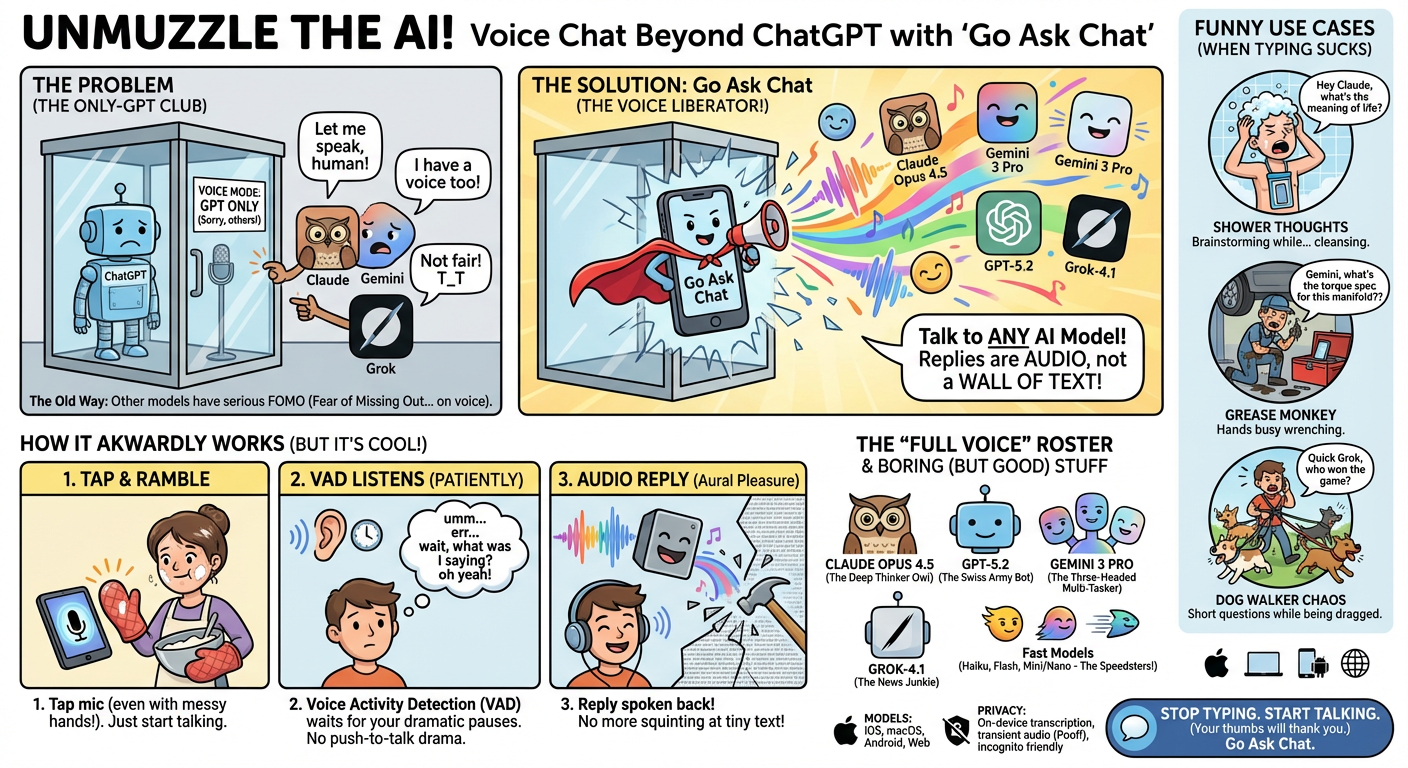
ChatGPT has voice mode, but it only works with GPT. If you want a voice conversation with Claude or Gemini, you need another app.
Go Ask Chat lets you voice chat with any AI model[1]. Pick a model, tap the mic, and speak. Replies come back as audio, not a wall of text.
Voice is faster in a few common situations:
- Think out loud — talk through a draft or a plan while it listens
- Hands busy — cooking, wrenching, walking the dog
- Short questions — quick clarifications without opening a keyboard
- Long back-and-forth — a real conversation instead of stop-and-type
Starting a Voice Conversation
- Open any chat in Go Ask Chat
- Select your preferred AI model
- Tap the microphone button
- Speak naturally
Your speech is converted to text and sent to the model you picked. The reply is spoken back to you.
Voice Activity Detection (VAD)
Go Ask Chat uses Voice Activity Detection[1]. This means:
- No push-to-talk — it listens and stops on its own
- Pauses are fine — it waits until you're done
- Noise handling — usable in a cafe or outside
Visual Feedback
A voice equalizer shows when the app is listening and when it is speaking back.
Voice works across the whole model list[1]:
Flagship models:
- Claude Opus 4.5[2] — long, careful conversations
- GPT-5.2[3] — general purpose voice chats
- Gemini 3 Pro[4] — text, image, and voice in one thread
- Grok-4.1[5] — current-events friendly answers
Fast models:
- Claude Haiku — quick replies
- GPT-5.4 Mini/Nano — short, fast exchanges
- Gemini Flash — speed over depth
Brainstorming
Talk through an outline or a product idea, then keep the thread going without stopping to type.
Learning
Ask quick questions while studying or doing a language drill. The answer comes back in the same channel.
Hands-busy tasks
Mid-recipe and need a temperature check? Under the hood and need a torque spec? Voice keeps it simple.
Accessibility
If typing is painful or slow, voice keeps the whole app usable.
Voice chat works across Go Ask Chat platforms[1]:
- iOS — Built-in microphone support
- macOS — Use your Mac's microphone or AirPods
- Android — Native voice integration
- Web — Browser-based voice chat
Voice data is handled like this:
- Voice is converted to text on-device when possible
- Audio is not stored after transcription
- Transcripts follow the same privacy rules as text chats
- Incognito mode works with voice too
Speak Clearly
It handles accents and casual speech, but clearer speech still improves accuracy.
Use Headphones
Headphones stop the reply audio from looping back into your mic.
Complete Your Thought
VAD waits for a pause. Finish your thought before you expect a reply.
No. Any device mic works: phone, laptop, or AirPods.
Yes. Type or speak whenever you want in the same thread.
No. Voice chat is included in every plan, including free[6].
Voice chat works with any language the models support.
- Go Ask Chat Features - Voice chat, multi-model support, cross-platform
- Anthropic Claude Models - Claude Opus specifications
- OpenAI Models Documentation - GPT model specifications
- Google Gemini API Documentation - Gemini Pro specifications
- xAI Grok API - Grok model specifications
- Go Ask Chat Pricing - Voice chat included in all plans
† Features and specifications reflect information at time of publication. Verify current data at source links.