
How to Switch AI Models Mid-Conversation
Use GPT for one question, Claude for the next, without losing context
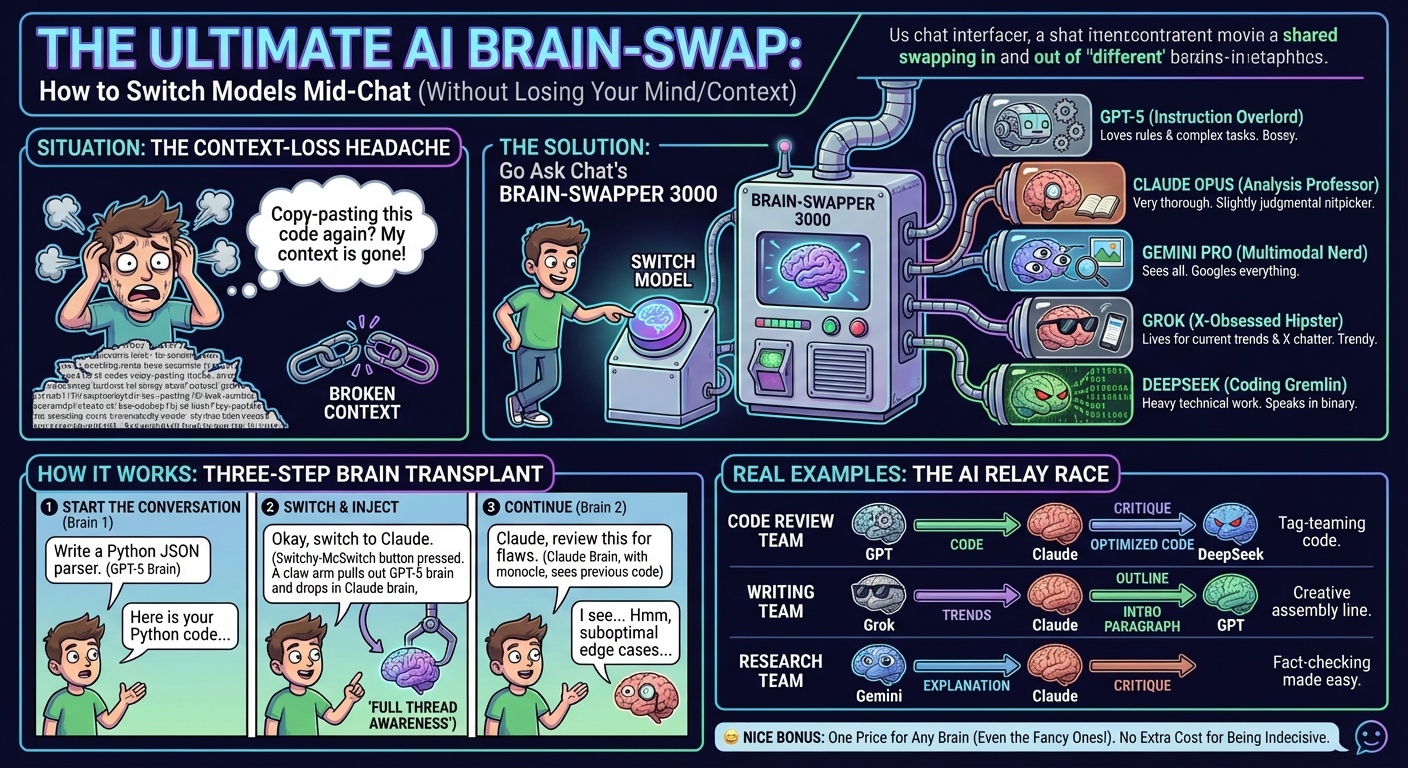
With Go Ask Chat, you can switch between AI models mid-conversation[1] and keep the full thread.
Ask GPT to write code, then switch to Claude for a review. Get a spark from Grok, then have Gemini tighten it up. Same chat, different brains.
Each model has its own edge:
- GPT-5 — complex instructions, coding, general tasks
- Claude Opus — careful writing and analysis
- Gemini Pro — multimodal work and Google tools
- Grok — current events and X data
- DeepSeek — heavy coding and technical work
If you're not sure which one fits, try two and compare their answers.
Step 1: Start a Conversation
Begin with any model. Ask your question and get a response.
Step 2: Switch Models
Use the model selector at the top of the chat. Pick another model.
Step 3: Continue the Conversation
The new model sees the full thread. Ask a follow-up or ask for a different take.
What the New Model Sees
When you switch models, the new one gets the full context, including earlier replies. It can cite or critique what came before.
Code Review Workflow
- GPT: "Write a Python function to parse JSON from an API response"
- GPT writes the code
- Switch to Claude
- Claude: "Review this code for potential issues"
- Claude spots a couple of edge cases
- Switch to DeepSeek
- DeepSeek: "Optimize this for performance"
Writing Workflow
- Grok: "What's showing up right now in sustainable fashion?"
- Grok pulls recent chatter from X
- Switch to Claude
- Claude: "Write a blog post outline based on these trends"
- Claude returns a tight outline
- Switch to GPT
- GPT: "Write the introduction paragraph"
Research Workflow
- Gemini: "Explain quantum computing basics"
- Gemini gives a first pass
- Switch to Claude
- Claude: "What did that explanation miss or oversimplify?"
- Claude points out gaps
Use Models for Their Strengths
Don't switch at random:
- Need creativity? Try Grok or Claude
- Need precision? Try GPT or DeepSeek
- Need analysis? Claude is solid here
- Need current info? Grok has X data
Ask for Critiques
Ask Model B to critique Model A. You usually get a cleaner answer fast.
Compare Approaches
Ask the same coding question to GPT and DeepSeek, then compare. One often has a cleaner approach.
Flagship models:
- GPT-5.2 (OpenAI's latest)[2]
- Claude Opus 4.5 (Anthropic's flagship)[3]
- Gemini 3 Pro (Google's multimodal model)[4]
- Grok-4.1 (xAI's real-time model)[5]
Fast models:
- GPT-5.4 Mini
- GPT-5.4 Nano
- Claude Haiku
- Gemini Flash
Specialized models:
- DeepSeek (coding)
- And many more...
Switching models doesn't cost extra. Pro ($8/month)[6] covers all models. One message is one message, no matter which model you use.
Yes. The new model gets the full conversation, including earlier replies.
Yes. Switch as many times as you want in a single conversation.
No. All models are included[6]. One message is one message.
- Go Ask Chat Features - Multi-model AI chat, mid-conversation model switching
- OpenAI Models Documentation - GPT model specifications
- Anthropic Claude Models - Claude Opus specifications
- Google Gemini API Documentation - Gemini Pro specifications
- xAI Grok API - Grok model specifications
- Go Ask Chat Pricing - Pro at $8/month includes all models
† Features and specifications reflect information at time of publication. Verify current data at source links.