
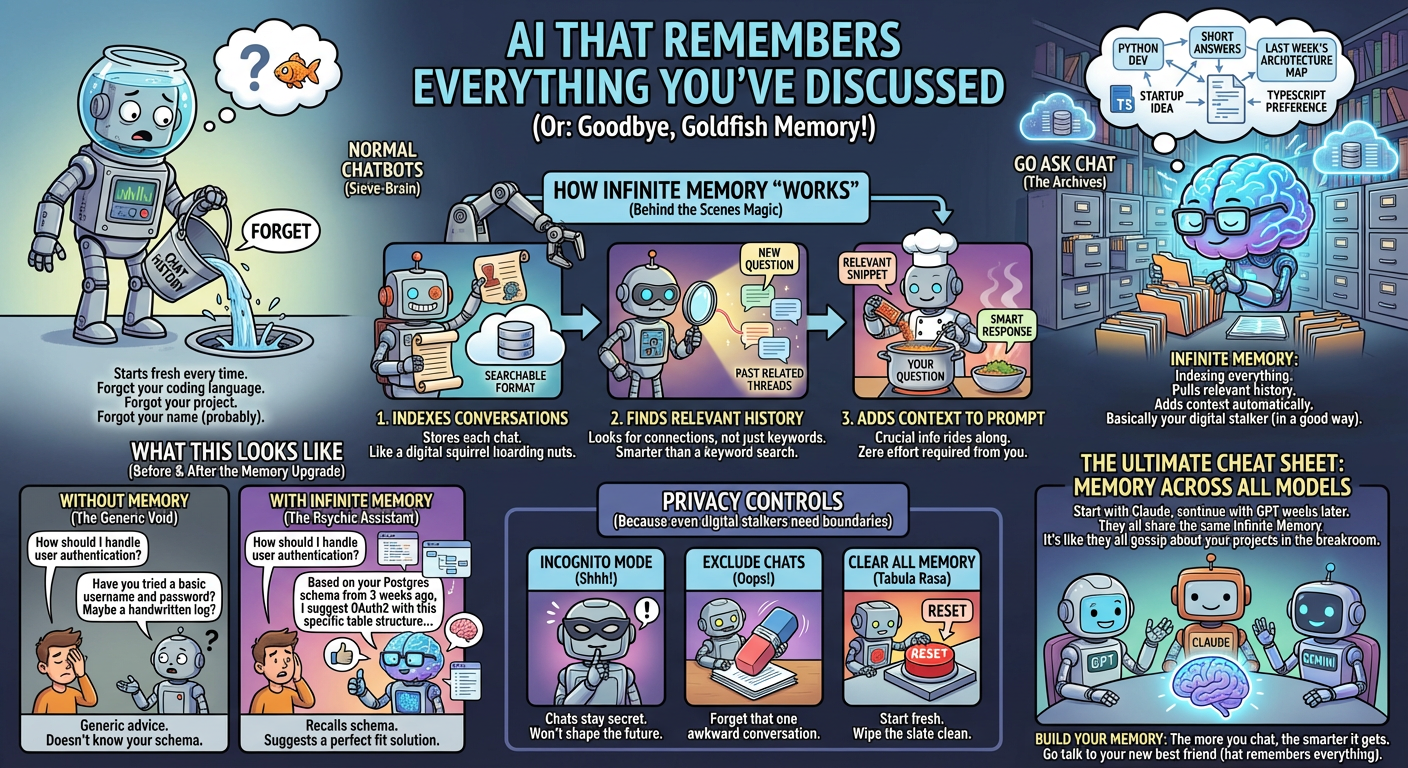
Most chatbots forget. Every chat starts fresh. They don't remember that you're a Python developer, that you like short answers, or that you mapped your architecture last week.
Go Ask Chat is different. With Infinite Memory[1], it indexes your history and pulls in the parts that matter when you ask a new question.
How Infinite Memory Works
Behind the scenes, Go Ask Chat:
- Indexes your conversations — each chat is stored in a searchable format
- Finds relevant history — it looks for related past threads
- Adds context to your prompt — relevant snippets ride along with your question
You don't have to do anything. It runs in the background.
What This Looks Like in Practice
Example 1: Technical Context
Three weeks ago: You discussed your app's database schema with the AI.
Today: You ask "How should I handle user authentication?"
With Infinite Memory: It recalls your schema and suggests an auth approach that fits your setup.
Without Memory: You get generic advice that might not fit.
Example 2: Personal Preferences
Last month: You mentioned you prefer TypeScript over JavaScript.
Today: You ask for help with a web scraping script.
With Infinite Memory: It gives a TypeScript solution without you having to say it again.
Example 3: Ongoing Projects
Over time: You've had multiple conversations about your startup idea.
Today: You ask "What should I focus on for the MVP?"
With Infinite Memory: It references your earlier notes on users, constraints, and features.
It Feels Like It Knows You
A human assistant who has worked with you for months knows your preferences and projects. Infinite Memory gets you closer to that.
Privacy Controls
Your conversation history is private and encrypted. You also get control:
Incognito Mode
Enable Incognito mode for conversations you don't want indexed. Those chats won't shape future replies.
Exclude Specific Chats
Already had a conversation you'd rather forget? You can exclude any chat from memory after the fact.
Clear All Memory
Want to start fresh? Clear your memory index any time in settings.
Memory Across All Models
Infinite Memory works with every model in Go Ask Chat[1]. Whether you're chatting with GPT, Claude, Gemini, or any other model, they all can use your history.
This means you can:
- Start a project discussion with Claude
- Continue it with GPT weeks later
- Have GPT reference what Claude said
How It Differs from ChatGPT's Memory
ChatGPT has a basic memory feature, but it's limited:
- ChatGPT: Stores explicit facts you tell it to remember
- Go Ask Chat: Automatically indexes everything and retrieves relevant context
With ChatGPT, you have to say "Remember that I prefer Python." With Go Ask Chat, if you've talked about Python before, it can pick that up.
The Technical Side
For the curious: Infinite Memory uses semantic search and embeddings[1] to find relevant past conversations. It's not keyword matching. It looks for meaning.
When you ask about "authentication," it might surface a past chat about "login systems" or "user security" because those ideas connect.
Who Benefits Most
Developers: It remembers your stack, coding style, and project architecture.
Writers: It remembers your voice, your topics, and your previous drafts.
Researchers: It remembers papers you've discussed and questions you've asked.
Everyone: It gets more useful as your history grows.
Frequently Asked Questions
How far back does memory go?
All your conversations are indexed. There's no time limit. Old chats can surface if they matter.
Can I see what the AI remembers?
You can browse your full conversation history and see which chats are included.
Does memory use up my message quota?
No. Memory retrieval is automatic and doesn't count against your monthly messages.
Is my memory shared with others?
No. Your conversation history and memory index are private to your account[1].
Sources
- Go Ask Chat Features - Infinite Memory, privacy controls, multi-model support
- Go Ask Chat Pricing - Free tier and Pro plans
† Features and specifications reflect information at time of publication. Verify current data at source links.