
Organize Your AI Chats with Workspaces
Keep work, personal, and project chats separate and searchable
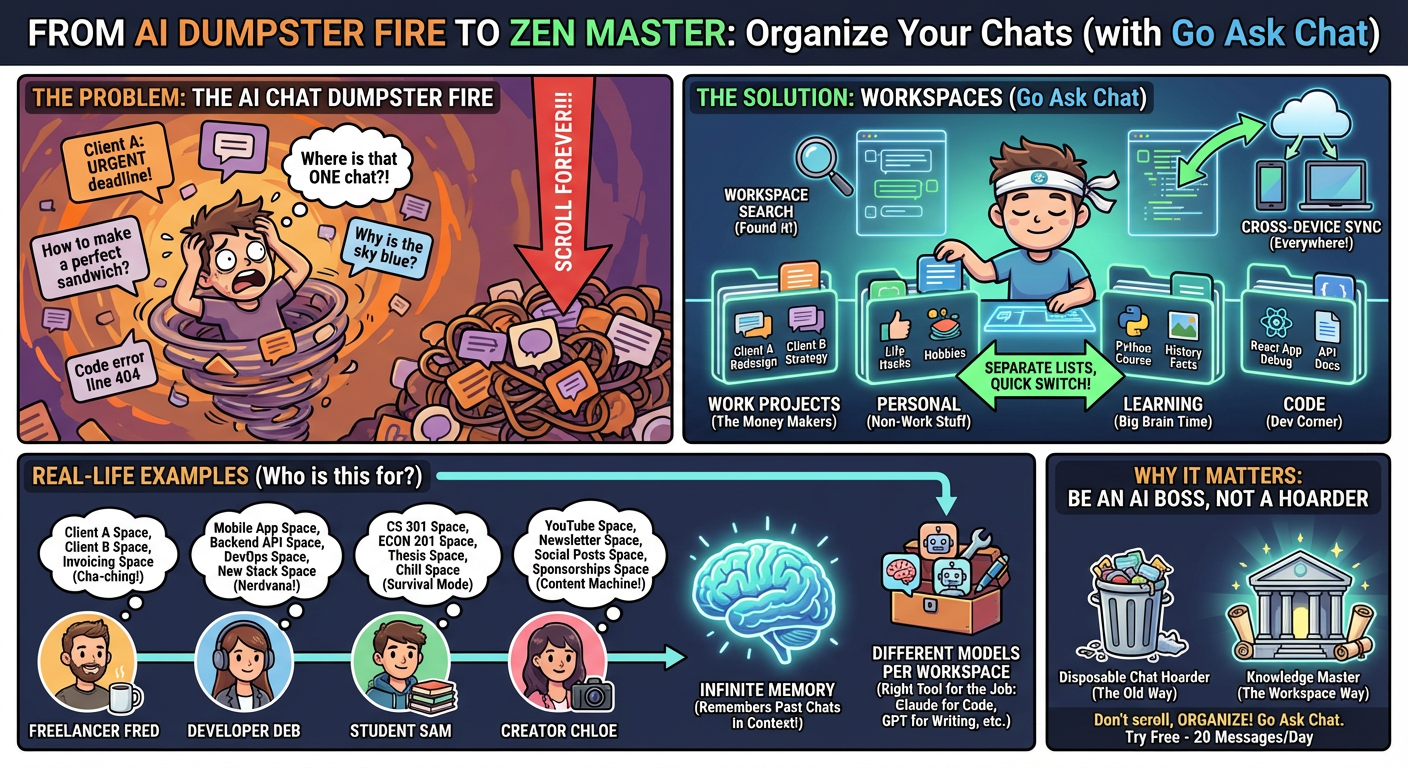
After hundreds of AI conversations, finding that one chat where you solved a specific problem is a mess. ChatGPT, Claude, and Gemini all suffer from the same thing: one endless list with no organization.
Go Ask Chat fixes this with Workspaces[1] — organize your AI chats by project, client, or topic.
If you use AI regularly, you've experienced this:
- Scroll forever — a chat from last week buried in hundreds of threads
- Work/personal mixing — client projects next to random personal questions
- Lost context — you solved a problem before but can't find the chat
- No project grouping — related conversations scattered across history
Traditional AI chatbots treat every conversation the same. A quick question sits next to a month-long project thread.
Workspaces in Go Ask Chat let you create separate spaces for different areas of your life or work:
Create Workspaces for Anything
- Work Projects — a workspace per client or project
- Personal — keep personal questions separate
- Learning — a space for courses or skill development
- Code — all programming chats in one place
- Writing — creative projects and content drafts
Workspace Features
- Separate Chat Lists — each workspace has its own history
- Quick Switching — jump between workspaces with one click
- Workspace Search — find conversations within a workspace
- Cross-Device Sync — workspace structure syncs across devices
Freelancers & Consultants
Create a workspace for each client. When working on Client A's project, switch to their workspace. Everything related is right there. No mixing Client A's confidential notes with Client B's work.
Consultant Setup Example
Client A - Website Redesign — design discussions, code help, content review
Client B - Marketing Strategy — campaign ideas, copy editing, analytics help
Personal Development — learning new skills, career questions
Admin — invoicing help, contract questions
Software Developers
Organize by project or stack. Keep React app debugging separate from Python backend work.
Developer Setup Example
Mobile App Project — React Native/Flutter conversations
Backend API — server-side code, database queries
DevOps — deployment, CI/CD, infrastructure
Learning — new frameworks, tutorials
Students & Researchers
Separate a workspace for each course or research project. When finals come, each class is already organized.
Student Setup Example
CS 301 - Algorithms — problem sets, concept explanations
ECON 201 — essay help, data analysis
Thesis Research — literature review, methodology discussions
Personal — non-academic questions
Content Creators
Keep content types separate. YouTube scripts don't mix with newsletter drafts.
Creator Setup Example
YouTube Channel — script writing, thumbnail ideas, SEO
Newsletter — article drafts, editing, topic brainstorming
Social Media — posts, engagement strategies
Business — sponsorship negotiations, analytics
Workspaces get better when combined with Infinite Memory.
When Infinite Memory is enabled, the AI can reference relevant past conversations from your current workspace. Working in your "Client A" workspace? It remembers what you discussed last month.
This makes the assistant feel like it knows your project history, not just the current thread.
Each workspace can use any of Go Ask Chat's 28+ models[1]. Your coding workspace might default to Claude Sonnet 4.5. Your writing workspace might default to Claude Opus 4.5.
Different workspaces, different models, one app.
- Create Your First Workspace — click the workspace icon and name it (e.g., "Work")
- Add More As Needed — create workspaces for different projects or life areas
- Start Chatting — conversations save to the active workspace
- Switch Workspaces — one click to jump between workspaces
- Search Within — use workspace search to find past conversations
Organization isn't just about tidiness. It's about finding information when you need it.
When you solve a complex problem with AI, that conversation has value. Finding it months later — in the right context — makes AI useful as a knowledge tool, not just a chat window.
Most AI chatbots treat conversations as disposable. Workspaces treat them like knowledge you can return to.
Yes. If a conversation ends up in the wrong workspace, you can move it to a different one.
No hard limit. Create as many as you need.
Yes. Your workspace organization syncs across Mac, iOS, Android, and web[1].
Yes. Archive workspaces you're not using, or delete them entirely. Conversations can be preserved or removed based on your preference.
ChatGPT, Claude, and Gemini all use a single conversation list with no workspace organization. Go Ask Chat's workspace feature is unique.
- Go Ask Chat Features - Multi-model AI chat, workspaces, cross-platform sync
- Go Ask Chat Pricing - Free tier includes 20 messages per day
† Features and specifications reflect information at time of publication. Verify current data at source links.